Download SignalRGB

Control and sync your RGB with one free app. Pick your platform to get started.

Windows

Free · .exe installer

The full SignalRGB experience: RGB lighting, fan control, PC monitoring, LCD control, and macros.

Close your other RGB apps (iCUE, Synapse, G HUB, Armoury Crate, etc.) before installing.

Download for Windows

Linux Beta

Arch & Debian families

An early look at SignalRGB on Linux, installed and kept up to date by your package manager.

  • Arch Linux
  • CachyOS
  • EndeavourOS
  • Garuda Linux
  • SteamOS
  • Debian
  • Ubuntu
  • Pop!_OS
  • Linux Mint
Run in your terminal
curl -fsSL https://pkgs.signalrgb.com/install.sh | bash
Full Linux install guide

Need a hand? Join our Discord Quick Start Guide

Everything in one app

RGB lighting, cooling, LCD screens, monitoring, and macros. Explore what you get the moment you install.

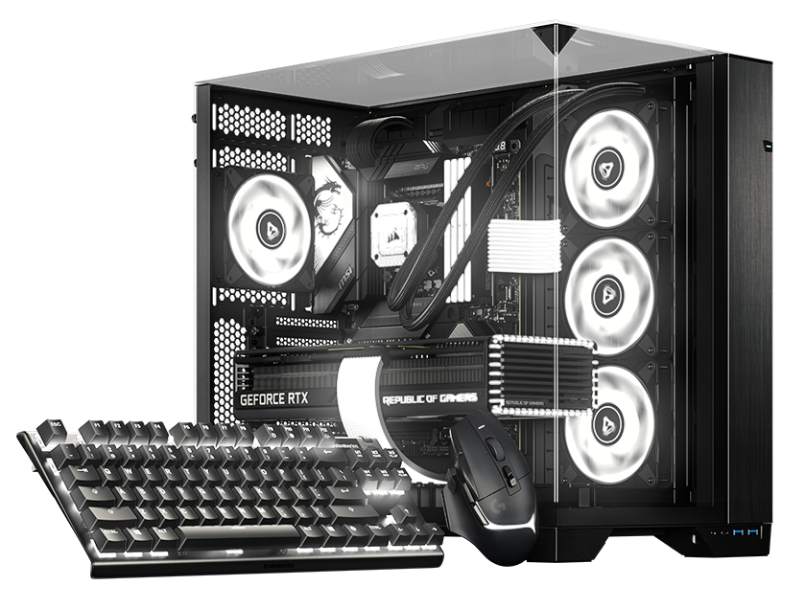
PC with SignalRGB lighting
Hundreds of Free Effects

One Effect Across Your Entire Setup

From calm, slow-moving ambience to full-on rainbow light shows, SignalRGB plays one effect across every device in your setup at once. These are just a few of the hundreds you get free.

Explore RGB

Fan and pump control. Use a preset or tune every curve yourself.

  • Optimized presets (Quiet, Balanced, Max, and Pump).
  • Multi-point curve editor tracking any sensor.
  • Custom colors and gradients on every graph.
Customize Color
Explore Cooling
Fan 1
Mode: Balanced · CPU
1154RPM
37° 65%
Fan 2
Mode: Balanced · CPU
973RPM
49° 48%

Build any LCD dashboard you can imagine using a massive library of LCD content.

  • Live PC stats, weather, clocks, Twitch chat, and more.
  • Stack, resize, and rearrange anything, anywhere, with no limits.
  • GIFs, images, videos, and more.
Explore LCDs

Every key stat in one tab, from GPU temps to internet speed. No extra monitoring app needed.

  • Gauges or graphs showing up to 24 hours of history.
  • Animated colors, resize and build layouts you can lock in place.
  • Large selection of gauge and graph styles.
Customize Color
Explore Monitoring

Launch effects, apps, games, websites, and more, automatically or with one press.

  • Switch to a game's lighting integration the moment it launches.
  • Change what any key does, or launch apps from your keyboard.
  • Save macro profiles and switch between them anytime.
Explore Macros