
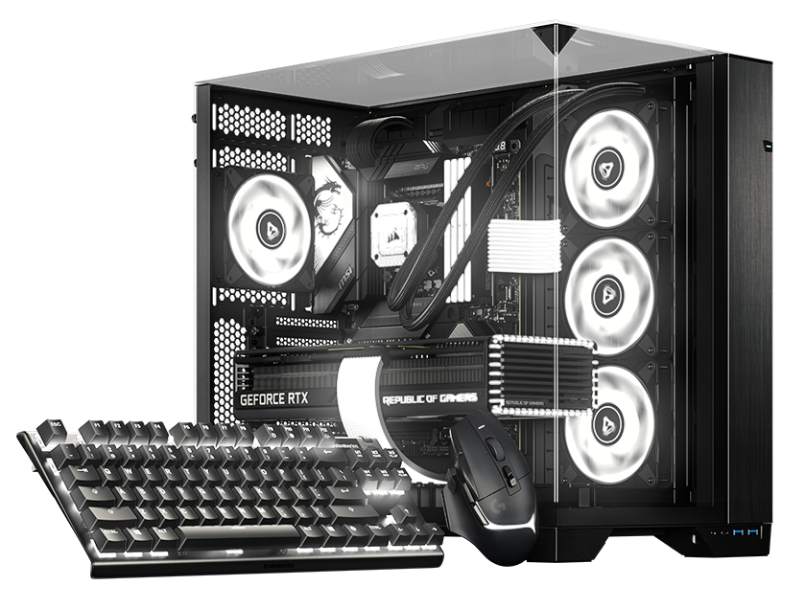

Linux용 RGB 소프트웨어 BETA

당신의 배포판.
당신의 셋업.
당신의 RGB.

Arch 및 Debian 계열 데스크톱을 위한 베타로 SignalRGB의 다음 장을 함께 만들어 보세요.

네이티브 패키지 익숙한 업데이트 방식 더 풍부한 색상
Linux 베타

하나의 SignalRGB, 이제 Linux에서도

다른 데스크톱.
같은 RGB 사랑.

당신의 셋업은 조명까지 온전히 당신의 것이어야 합니다. 이미 사용하시는 데스크톱 관리 방식에 자연스럽게 어우러지는 네이티브 패키지로 SignalRGB를 Linux에 선보입니다.

베타로 먼저 시작해 어떤 점이 잘 작동하는지 알려 주시고, 커뮤니티 전체를 위한 더 나은 경험을 만드는 데 힘을 보태 주세요.

당신의 배포판을 찾아보세요

두 계열. 하나의 더 빛나는 셋업.

베타 지원
pacman .pkg.tar.zst

Arch family

Your rolling-release setup. Now with more color.

  • Arch Linux

    Native Arch package

    Beta
  • Omarchy

    Built on Arch Linux

    Beta
  • SteamOS

    Arch-based gaming OS · SteamOS-specific setup

    Beta
  • CachyOS

    Performance-focused Arch-based desktop

    Beta
  • Garuda Linux

    Arch-based desktop with gaming tools

    Beta
  • EndeavourOS

    Lightweight Arch-based desktop

    Beta

Use the Omarchy update workflow on Omarchy. SteamOS has its own system-update model and requires SteamOS-specific installation guidance.

Get started with pacman
apt .deb

Debian family

A familiar package. A whole new look for your setup.

  • Debian

    Native Debian package

    최소 버전: 13

    Beta
  • Ubuntu

    Debian-based desktop

    최소 버전: 24.04

    Beta
  • Pop!_OS

    Ubuntu-based desktop by System76

    최소 버전: 24.04

    Beta
  • Linux Mint

    Ubuntu / Debian-based desktop

    최소 버전: 22 (Ubuntu edition) / LMDE 7

    Beta

Check the package repository for the release requirements for your version of Debian, Ubuntu, Pop!_OS, or Linux Mint.

Get started with apt

다른 파생 배포판을 사용하고 계신가요? 먼저 패키지 요구 사항을 확인해 주세요. 패키지 매니저를 공유한다고 해서 해당 배포판이나 릴리스가 자동으로 지원되는 것은 아닙니다.

처음부터 네이티브

새롭게 만나 보세요,
당신이 좋아할 패키지.

SignalRGB는 저희 Linux 패키지 저장소를 통해 이용할 수 있습니다. 한 번 추가하면 이후의 설치와 업데이트는 사용 중인 패키지 매니저가 알아서 처리합니다.

터미널에서 실행
curl -fsSL https://pkgs.signalrgb.com/install.sh | bash

Install the stable release. Your package manager will keep you updated with stable releases.

pkgs.signalrgb.com
당신의 Linux 설치 가이드 네이티브
  1. 01

    패키지 계열 선택

    사용 중인 배포판과 릴리스가 저장소 요구 사항에 맞는지 확인하세요.

    Arch · pacman Debian · apt
  2. 02

    설치 명령 실행

    명령을 터미널에 복사해 서명 키와 패키지 소스를 설정한 다음 SignalRGB를 설치하세요.

  3. 03

    실행. 점등. 당신의 스타일로.

    앱 실행기에서 SignalRGB를 열고 기기 접근 안내에 따라 진행해 주세요. 이후의 패키지는 평소 사용하시는 업데이트 워크플로를 통해 전달됩니다.

함께 만들어 가요

조금 이르지만, 가능성은 무한합니다.

지금은 베타이며, 당신의 셋업도 이 이야기의 일부입니다. Linux에서는 기기와 기능 호환성이 다를 수 있습니다. 잘 작동하는 부분을 공유하고 그렇지 않은 부분을 알려 주시면, 세세한 부분까지 다듬는 데 큰 도움이 됩니다.

알아두면 좋은 정보

시작하기 전에,
몇 가지 답변을.

기기 카탈로그 살펴보기
What does beta mean?

You're getting an early look at SignalRGB on Linux. Expect rough edges as we improve compatibility and the desktop experience. Your feedback helps us decide what to work on next.

Will all of my devices and features work?

Linux compatibility is still being validated. The main supported-device catalog is a useful starting point, but it is not a guarantee of Linux beta support. Device access, hardware monitoring, fan control, and other features can depend on your hardware and Linux setup.

How will I get updates?

The Linux distribution path uses the SignalRGB package repository. Once it is configured, your native package manager handles package updates. Omarchy users should follow the Omarchy update workflow.

Can I use another Linux distribution?

This beta focuses on the Arch and Debian families listed above. A shared package format does not guarantee compatibility with another distribution or release. Check the package requirements before trying another derivative.

Where should I share feedback?

Join the SignalRGB Discord or visit our community forums. Include your distribution and version, desktop environment, SignalRGB version, affected devices, and steps to reproduce the issue so we can understand your setup.

당신의 셋업. 당신의 방식. 당신의 배포판 찾기