
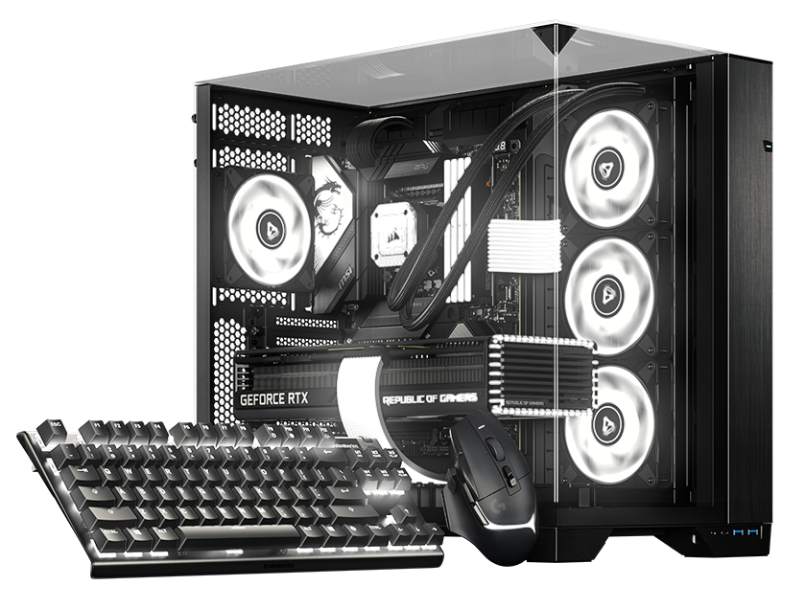

ซอฟต์แวร์ RGB สำหรับ Linux BETA

ดิสโทรของคุณ
การตั้งค่าของคุณ
RGB ของคุณ

ร่วมกำหนดบทต่อไปของ SignalRGB ไปกับเบต้าของเราสำหรับเดสก์ท็อปที่ใช้ Arch และ Debian

แพ็กเกจเนทีฟ อัปเดตแบบคุ้นเคย สีสันมากขึ้น
เบต้า LINUX

หนึ่งเดียวเพื่อทุกคน มาถึง LINUX แล้ว

เดสก์ท็อปที่ต่างกัน
ความหลงใหลใน RGB เหมือนกัน

การตั้งค่าของคุณควรรู้สึกเป็นของคุณจริง ๆ ตั้งแต่แสงไฟเลยทีเดียว เรากำลังนำ SignalRGB มาสู่ Linux ด้วยแพ็กเกจเนทีฟที่เข้ากันได้ดีกับวิธีที่คุณจัดการเดสก์ท็อปอยู่แล้ว

เริ่มต้นด้วยเบต้า บอกเราว่าอะไรใช้งานได้ดี และช่วยเราทำให้ประสบการณ์นี้ดีขึ้นเพื่อชุมชนทั้งหมด

ค้นหาดิสโทรของคุณ

สองตระกูล หนึ่งการตั้งค่าที่สว่างไสวยิ่งขึ้น

การสนับสนุนเบต้า
pacman .pkg.tar.zst

Arch family

Your rolling-release setup. Now with more color.

  • Arch Linux

    Native Arch package

    Beta
  • Omarchy

    Built on Arch Linux

    Beta
  • SteamOS

    Arch-based gaming OS · SteamOS-specific setup

    Beta
  • CachyOS

    Performance-focused Arch-based desktop

    Beta
  • Garuda Linux

    Arch-based desktop with gaming tools

    Beta
  • EndeavourOS

    Lightweight Arch-based desktop

    Beta

Use the Omarchy update workflow on Omarchy. SteamOS has its own system-update model and requires SteamOS-specific installation guidance.

Get started with pacman
apt .deb

Debian family

A familiar package. A whole new look for your setup.

  • Debian

    Native Debian package

    เวอร์ชันขั้นต่ำ: 13

    Beta
  • Ubuntu

    Debian-based desktop

    เวอร์ชันขั้นต่ำ: 24.04

    Beta
  • Pop!_OS

    Ubuntu-based desktop by System76

    เวอร์ชันขั้นต่ำ: 24.04

    Beta
  • Linux Mint

    Ubuntu / Debian-based desktop

    เวอร์ชันขั้นต่ำ: 22 (Ubuntu edition) / LMDE 7

    Beta

Check the package repository for the release requirements for your version of Debian, Ubuntu, Pop!_OS, or Linux Mint.

Get started with apt

ใช้ดิสโทรอนุพันธ์อื่นอยู่ใช่ไหม? ตรวจสอบข้อกำหนดของแพ็กเกจก่อน การใช้ตัวจัดการแพ็กเกจร่วมกันไม่ได้หมายความว่าดิสทริบิวชันหรือรุ่นนั้นจะได้รับการสนับสนุนโดยอัตโนมัติ

เนทีฟตั้งแต่เริ่มต้น

พบกับแพ็กเกจ
ที่คุณจะรักที่สุด

รับ SignalRGB ผ่านคลังแพ็กเกจ Linux ของเรา เพิ่มเพียงครั้งเดียว จากนั้นให้ตัวจัดการแพ็กเกจของคุณดูแลการติดตั้งและการอัปเดต

รันในเทอร์มินัลของคุณ
curl -fsSL https://pkgs.signalrgb.com/install.sh | bash

Install the stable release. Your package manager will keep you updated with stable releases.

pkgs.signalrgb.com
การติดตั้ง LINUX ของคุณ เนทีฟ
  1. 01

    เลือกตระกูลแพ็กเกจของคุณ

    ตรวจสอบดิสทริบิวชันและรุ่นของคุณกับข้อกำหนดของคลัง

    Arch · pacman Debian · apt
  2. 02

    รันคำสั่งติดตั้ง

    คัดลอกคำสั่งลงในเทอร์มินัลของคุณเพื่อตั้งค่าคีย์เซ็นชื่อและแหล่งแพ็กเกจ จากนั้นติดตั้ง SignalRGB

  3. 03

    เปิด เปล่งแสง ทำให้เป็นของคุณ

    เปิด SignalRGB จากตัวเรียกใช้แอปของคุณและทำตามคำแนะนำเกี่ยวกับการเข้าถึงอุปกรณ์ แพ็กเกจในอนาคตจะมาถึงผ่านเวิร์กโฟลว์อัปเดตปกติของคุณ

สร้างไปด้วยกันกับเรา

เร็วไปสักหน่อย แต่เต็มไปด้วยความเป็นไปได้

นี่คือเบต้า และการตั้งค่าของคุณเป็นส่วนหนึ่งของเรื่องราวนี้ ความเข้ากันได้ของอุปกรณ์และฟีเจอร์อาจแตกต่างกันไปบน Linux แชร์สิ่งที่ใช้งานได้ แจ้งสิ่งที่ยังใช้งานไม่ได้ และช่วยเราทำให้รายละเอียดสมบูรณ์แบบ

ควรรู้ไว้

คำตอบสองสามข้อ
ก่อนที่คุณจะเริ่ม

สำรวจแคตตาล็อกอุปกรณ์
What does beta mean?

You're getting an early look at SignalRGB on Linux. Expect rough edges as we improve compatibility and the desktop experience. Your feedback helps us decide what to work on next.

Will all of my devices and features work?

Linux compatibility is still being validated. The main supported-device catalog is a useful starting point, but it is not a guarantee of Linux beta support. Device access, hardware monitoring, fan control, and other features can depend on your hardware and Linux setup.

How will I get updates?

The Linux distribution path uses the SignalRGB package repository. Once it is configured, your native package manager handles package updates. Omarchy users should follow the Omarchy update workflow.

Can I use another Linux distribution?

This beta focuses on the Arch and Debian families listed above. A shared package format does not guarantee compatibility with another distribution or release. Check the package requirements before trying another derivative.

Where should I share feedback?

Join the SignalRGB Discord or visit our community forums. Include your distribution and version, desktop environment, SignalRGB version, affected devices, and steps to reproduce the issue so we can understand your setup.

การตั้งค่าของคุณ กฎของคุณ ค้นหาดิสโทรของคุณ